Minesweeper
Open every square that has no mine. Every board can be cleared by logic from the first tap, and an owl names the pattern behind the next safe square.
Open every square that has no mine. Every board can be cleared by logic from the first tap, and an owl names the pattern behind the next safe square.
Minesweeper is a logic puzzle on a grid of squares. Some squares hide mines. You open every square that does not, and you never open a mine. Each open square shows how many mines touch it, counting the squares on all eight sides, so a number is a clue about its neighbours. Every board is made so that it can be cleared by reasoning from the first tap, with no guess at any point. The game opens on a contents page: pick a board and play.
| Board | Size | Mines |
|---|---|---|
| Easy | 9 by 13 | 20 |
| Medium | 12 by 20 | 45 |
| Hard | 16 by 30 | 99 |
| Today | 12 by 20 | 45 |
On a wide screen Hard lies on its side, as 30 by 16. Today is the daily board: it is the same board for everyone on the same date, and it changes at your own midnight. The Climb is a run of twenty steps, five board sizes with four steps on each, where every clear makes the next board harder, from 15% to 21% of the squares mined. A clear after taking a mine back plays the same step again, and a new board after a mine moves one step down.
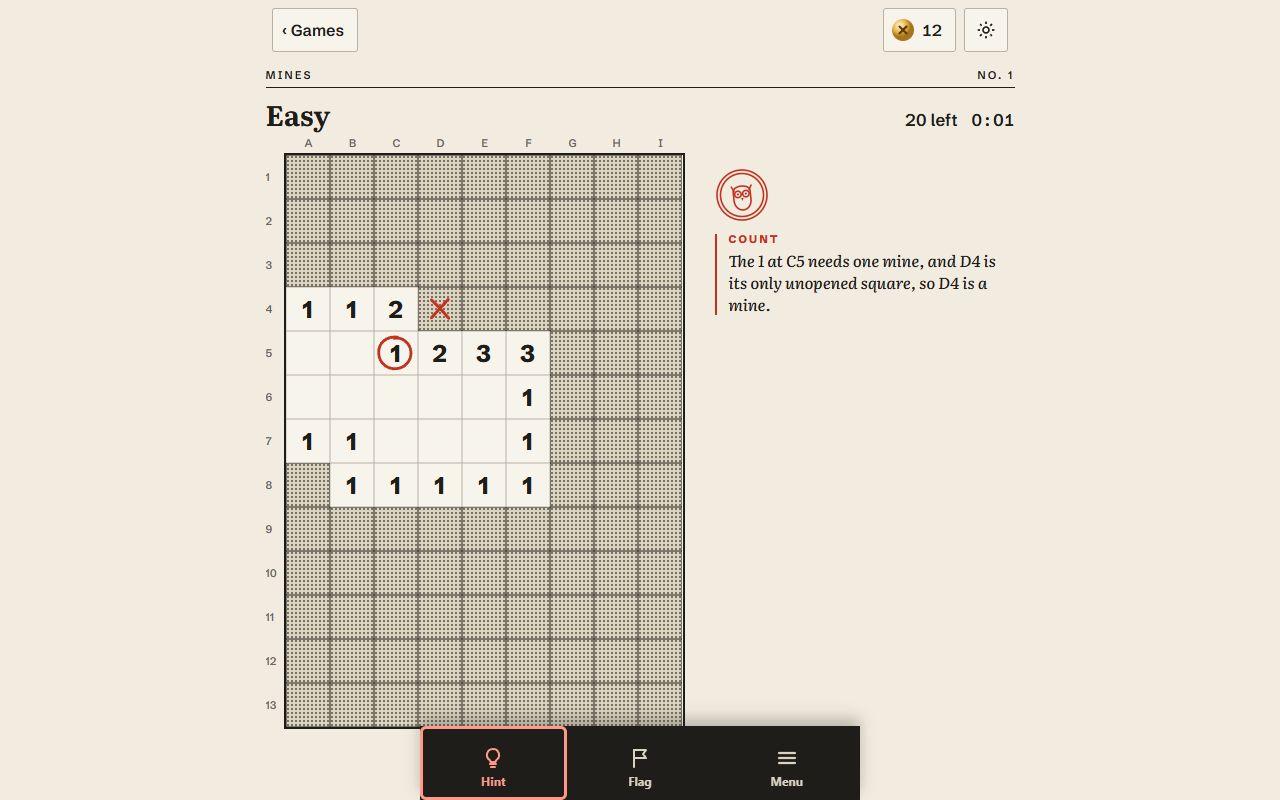
Press Hint and the owl looks at what you can see and names the simplest move that is certain: one or more safe squares to open or mines to flag. It says which pattern it used, in words, and marks the squares on the board. If a flag is wrong, it tells you to take it off. Every board has such a move at every point, so the owl is never stuck. When a board is cleared, the owl's note sums up the patterns the board needed.
The board shows where the mines were. Press Take it back and the last move is undone, so you can carry on from where you were; or start a new board. Menu in the bar at the bottom also offers Start this board again, a new board and the contents page.
Your board in progress, the boards you have cleared, your Climb step and these settings are kept on your device. A board left half played is on the contents page as Continue.