Flip Discs

The classic disc-flipping game against the computer, with an owl who shows the best move and why.

How to play Flip Discs

Flip Discs is the classic disc-flipping game on an 8 by 8 board, played against the computer. An owl shows the best move and says why.
The rules

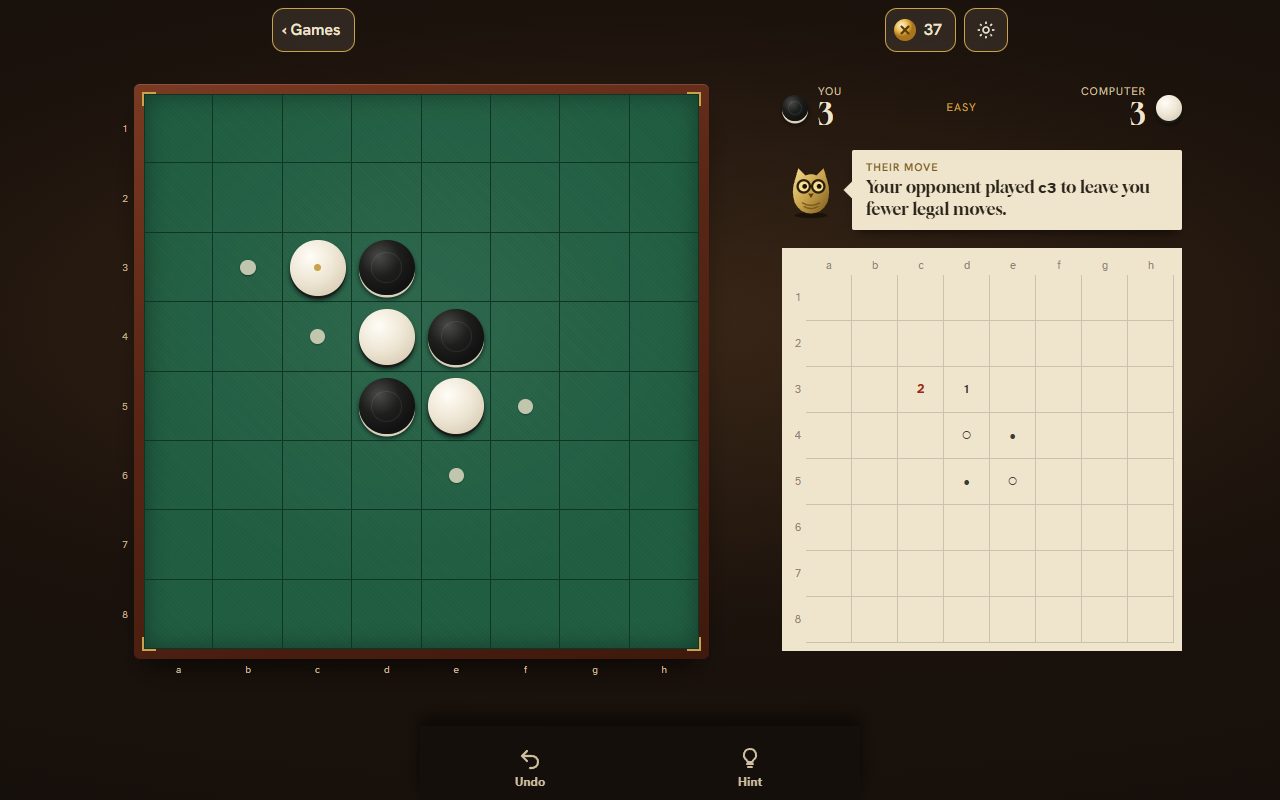
  • Dark moves first. Place a disc so that a straight line of the other colour sits between it and one of yours.
  • Every disc in that line flips to your colour, in all eight directions at once.
  • A move that flips nothing is not allowed. With no move, you pass; when neither side can move, the most discs wins.
Flip Discs mid-game on the club table: an 8 by 8 board of dark and light discs on green felt, the legal squares marked, and beside it the score for you and the computer, the owl's note on the computer's move and a record of the moves.

Starting a game

  • The game opens on the board. Pick the computer, Easy, Medium or Hard, and whether you play First, with the dark discs, or Second.
  • Playing first, tap one of the four marked squares and the game begins with that move. Playing second, press Play.
  • A game in progress shows on the board with Continue and the discs each side has; New game starts again.

The computer

Pick Easy, Medium or Hard before a game. A game in progress is kept, and Continue picks it up where it stood.

LevelHow it plays
EasyHalf the time it takes the move that flips the most discs, otherwise any legal move. It never looks ahead.
MediumLooks three moves ahead and plays the last 10 empty squares perfectly. One move in eight is its second choice.
HardLooks up to six moves ahead and plays the last 14 empty squares perfectly.

During a game

The bar between the two counts shows who leads and by how much. A move that flips five or more discs shows the number on the board. When a side has no move, the board says so and the other side plays again.

With hints on, the owl looks back when the game ends: after a loss it names the move the game turned on, and after a win what won it.

Controls

  • Tap or click a marked square to place a disc. Squares that cannot be played are not marked.
  • Hint and Undo are the two buttons in the bar at the foot; the gear at the top right opens settings.

Help

  • The owl's hints are on by default: Hint shows the best move and why, and one line explains the computer's reply when it means something. Settings turns them off.
  • Undo takes back your last move and the reply to it.
  • Settings also holds sound and five looks: the Tea tray, which is free, the Cap sheet for 40 coins, the Club table and the Sewing tin for 50 each, and the Lily pond for 60. A look changes nothing in play.

Coins and saving

ResultCoins
A win10
A draw on Hard10
Any other finished game, after five of your own moves3

Your settings and the game in progress are kept on your device.